Dear All,
Good Afternoon!!!
Today, I’m going to share an issue I recently encountered while enabling the OCI Observability & Management (O&M) – Database Management option for a customer through the OCI Console. After entering all required information on the relevant pages—including creating the secret, the process appeared as failed in the OCI Console.
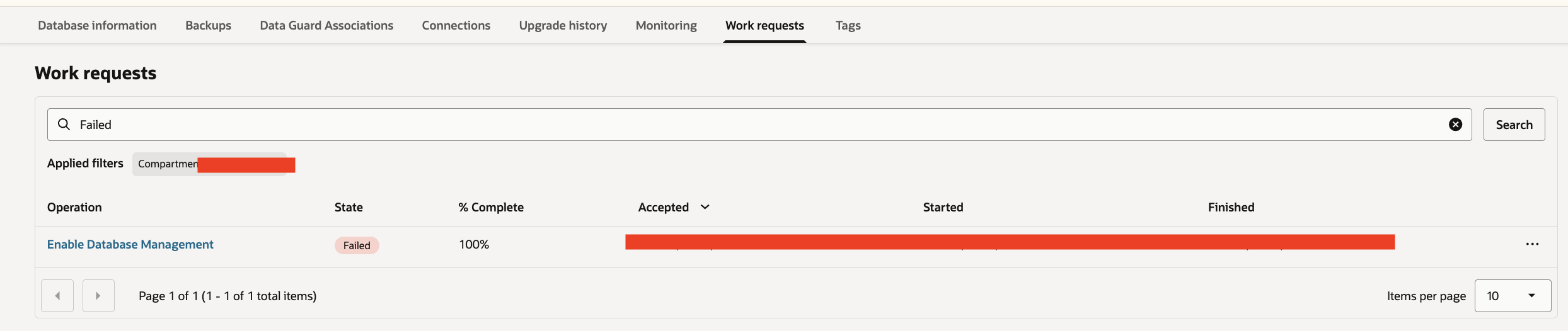
To investigate further, I reviewed the “Work Requests” tab for the database target and found that the “Enable Database Management” operation was in a failed state.
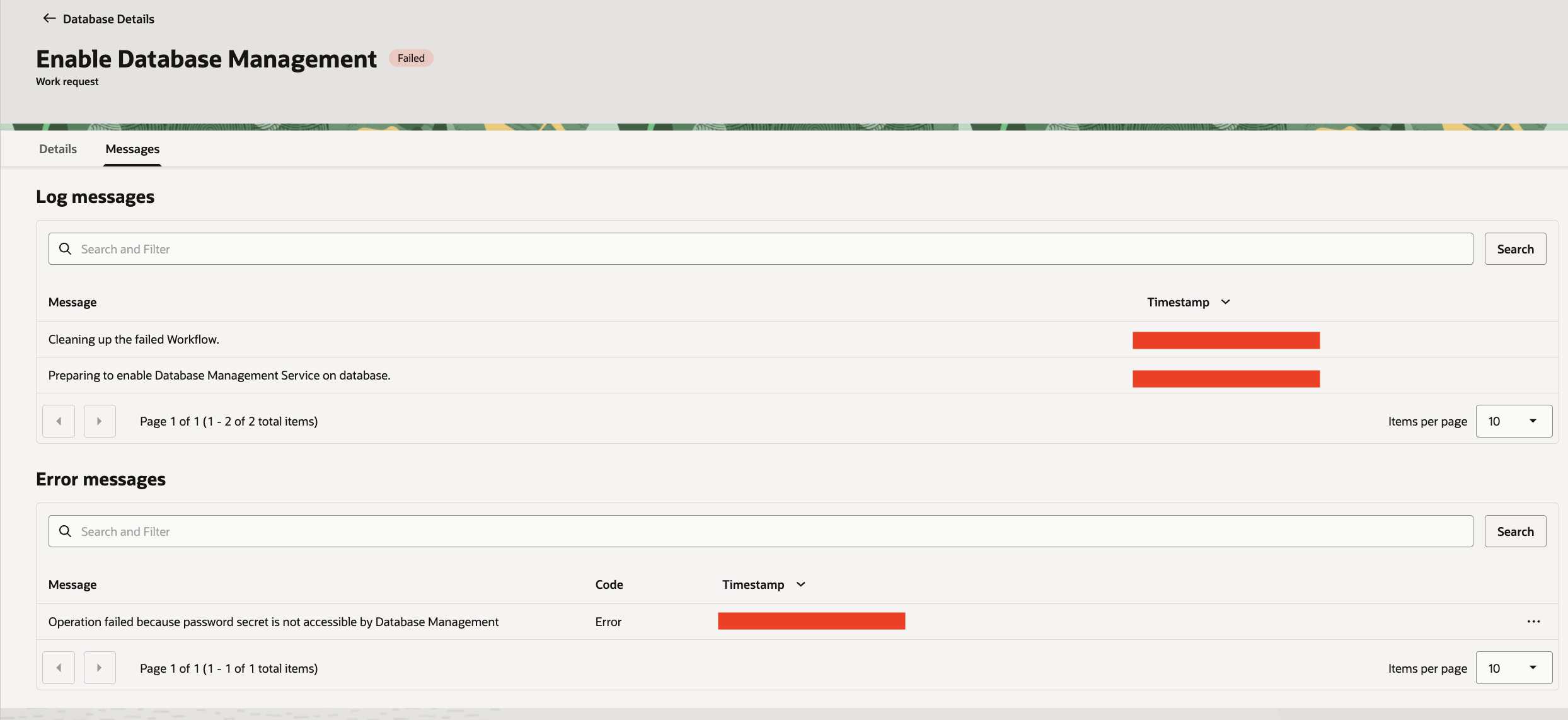
In the Messages section, I saw that the operation failed with the error: “Operation failed because password secret is not accessible by Database Management.”
The user account I used for the discovery already had the required privileges on the OCI secret and the associated vaults, so the issue clearly wasn’t related to user permissions.
I then searched for the Oracle documentation for a possible resolution & found one:
Errors Encountered When Enabling Diagnostics & Management for Oracle Cloud Databases
According to the documentation, in addition to manage secret-family, you must also configure a resource principal policy as given below to grant Managed Database resources permission to access the database user password secrets.

I added the required policy as documented, but the next retry still failed again.
After further investigation, I found a syntax issue in the policy statement: the value for request.principal.type must be enclosed in single quotes (as shown below).
Allow any-user to read secret-family in compartment DBCOMPARTMENT where ALL {request.principal.type = 'dbmgmtmanageddatabase'}
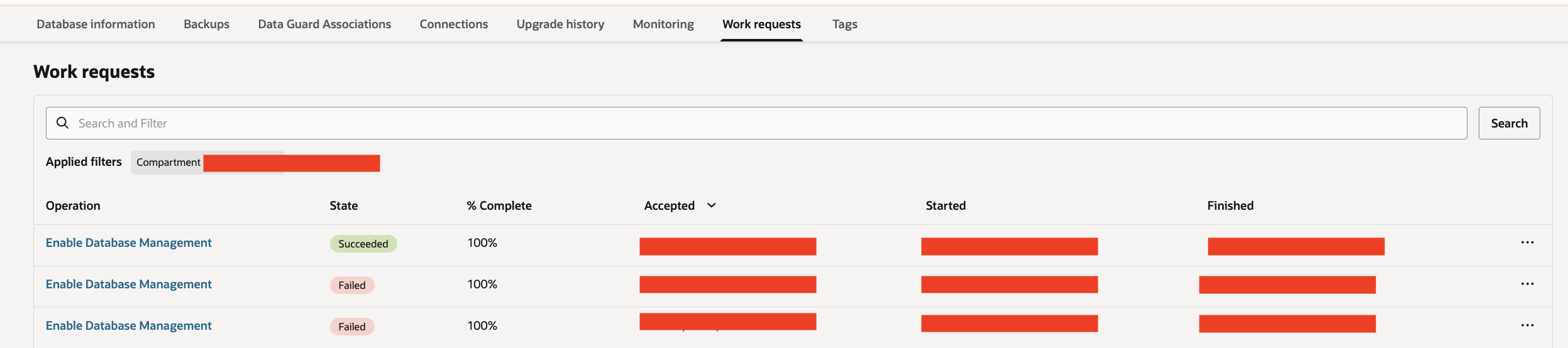
Once I corrected the policy statement, the process completed successfully without any further issues.
Hope you will find this post very useful!!
Let me know for any questions and any further information in comments or LinkedIn.
Regards,
Adi


 Adityanath's Database & Cloud Blog
Leave a comment