Dear Readers,
Happy new year 2021!!!
This is my first day of learning PostgreSQL and I faced issue while installing version 13.1 on windows. After almost spending 3 hours of troubleshooting I was able to identify the issue & fix it.
In this post will explain basic steps to install Postgresql 13.1 on windows 10 & possible resolution in case you face similar issue.
First step is to download required software from required software from enterprisedb website. I downloaded version 13.1 for Windows x86-64.
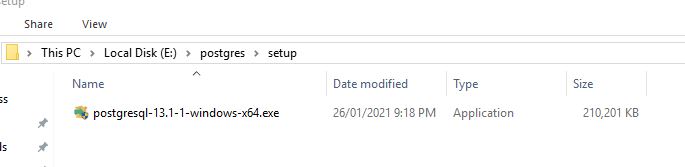
Once the intended software is downloaded, you can run it as administrator. This will open setup screen. Click on next

You can choose to use default location & click next:

I wanted to install complete pg setup so checked all options & clicked next:

You can choose default location and click next:

You need to remember this password to connect to you postgresql cluster. Click next:

5432 is default port. You can keep it & click next:

Choose default option & click next:

You will see pre installation summary here:

Now we are ready to begin installation:

Installation in progress:
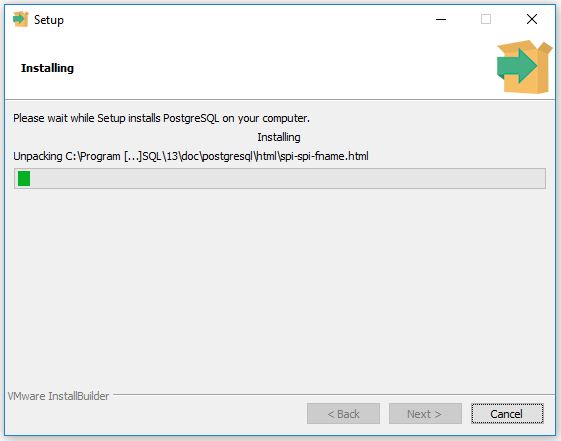
And it failed with below error:

I saw one more error after pressing OK button:

Though it shown me below screen at the end showing setup completion:

As expected installation was incomplete. DATA folder was empty.

I tried connecting to postgresql cluster using psql CLI. It failed connecting with below error:

I tried googling about all 3 errors, tried different solutions, but nothing worked. So though of trying lower version 12 but it ended with same story.
After lot of investigation, I found some movement in antivirus software whenever the setup was about to finish. After checking antivirus scan report, I was able to find the issue. Every time setup was about to complete, antivirus tried to clean possible threats it was identifying.
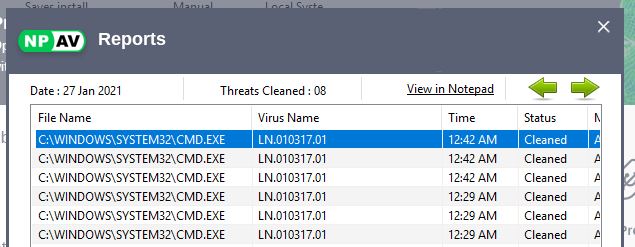
This time I decided to stop antivirus services during setup install & it worked without any issue :-). This time after setup completion, I was able to see number of files in DATA folder.

I tried connecting to postgresql cluster & it was working as expected;

Hope u will find this post very useful.
Cheers
Regards,
Adityanath


 Adityanath's Database & Cloud Blog
Leave a reply to Adityanath Dewoolkar Cancel reply