Dear Readers,
Trust you are doing well!!
Happy Diwali to all of you!!
Please note that directly exporting data to Object Storage is not supported in Oracle Database 19c. This feature is available starting from Oracle Database 21c, where you can use the DBMS_CLOUD package to store credentials and perform exports. If you try this me on 19c it will fail with error “ORA-39208: Parameter KU$_FILE_TYPE_URIDUMP_FILE is invalid for EXPORT jobs.” I’ll cover how this works in version 21c+ in my next post.
In this post, we’ll focus on how to perform a Data Pump export to an Object Storage bucket that’s mounted as a filesystem on a DBCS server. This approach works seamlessly across database versions, including 19c.
To achieve this, we’ll use the s3fs-fuse package to mount the Object Storage bucket as a local filesystem:
What is S3fs-fuse:
S3fs-fuse is a FUSE (Filesystem in Userspace) utility that lets you mount an Amazon S3 bucket or other S3-compatible object storage as a local file system on Linux, macOS, and FreeBSD. It allows you to interact with the objects in the bucket using standard Unix commands like cp and mv as if they were on a local disk. This provides an easy way to access S3 storage from applications that need a traditional file system interface.Let’s proceed with the steps required to complete this setup.
Step 1: Create new bucket for storing datapump dumpfiles
Follow the steps given in this link to create new bucket.
Step 2: Install S3fs-fuse on DBCS VM
s3fs-fuse is under Extra Packages for Enterprise Linux (EPEL) repository. First of all you to need to check if its available on your vm.
Command: dnf repolist
As we cant see it we need to install “oracle-epel-release-el8.x86_64” which will enable EPEL on the VM.
Command: sudo yum install oracle-epel-release-el8.x86_64
Now once again run “dnf repolist” to check if EPEL is available.

Now we can install S3fs-fuse on DBCS VM, using command
Command: sudo yum install s3fs-fuse
Step 3: Create secret key to access object storage bucket.
In the OCI Console, click on the profile icon on the top right of the page, then on your user name.
Then click on “Token and Keys” and go to section “Customer secret keys” to generate new secret. Enter a name of your choice and click Generate Secret Key.


You can copy Secret Key & then copy access key as well. Kindly note both are required to create password file.

Step 4: Create a Password File
Create a password file that contains your Secret Key and Access Key from the previous step, both in one line, separated by a colon in OPC home directory.
Commands:

cd /home/opc

echo ACCESS_KEY_ID:SECRET_ACCESS_KEY > .passwd-s3fs
chmod 600 .passwd-s3fs
Step 5: Mount the Object Storage bucket as File System
Create new directory using opc user which will be mounted to map object storage bucket:
Verify mount point using below command.
mount | grep s3fs
df -h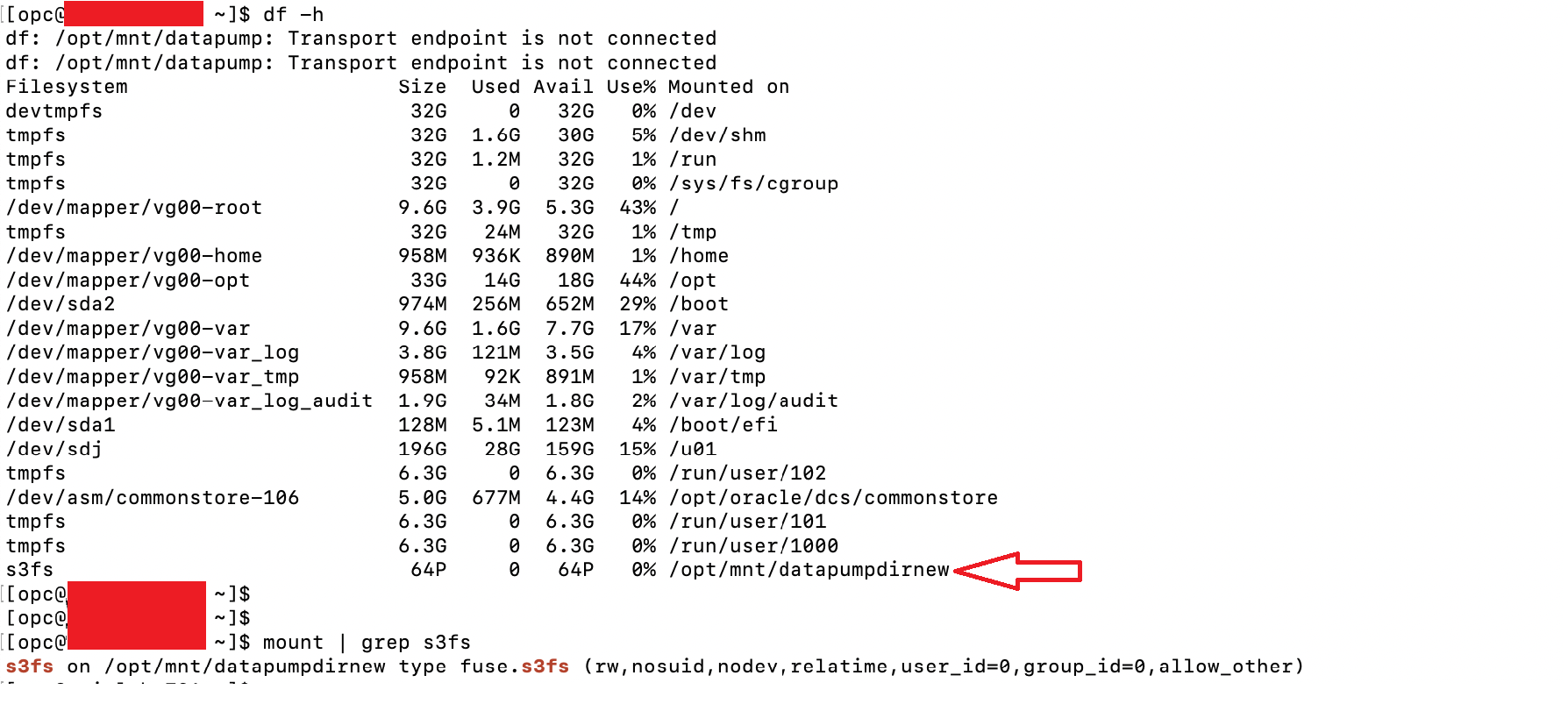
Step 6: Create new datapump directory in Database pointing to mount point pointing to object storage bucket
SQL> create or replace directory datadumpdirnew as '/opt/mnt/datapumpdirnew';

SQL> grant read, write on directory datadumpdirnew to datapumptest;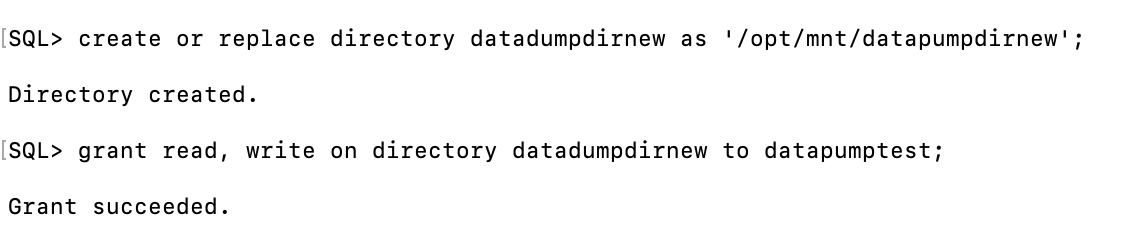
Step 7: Take a datapump export to see if it works as expected:
expdp datapumptest/<password>@pdb1 \
directory=datadumpdirnew \
dumpfile=datapumptest%u.dmp \
logfile=datapumptest_211025.log \
parallel=4 \
schemas=datapumptest \
CLUSTER=N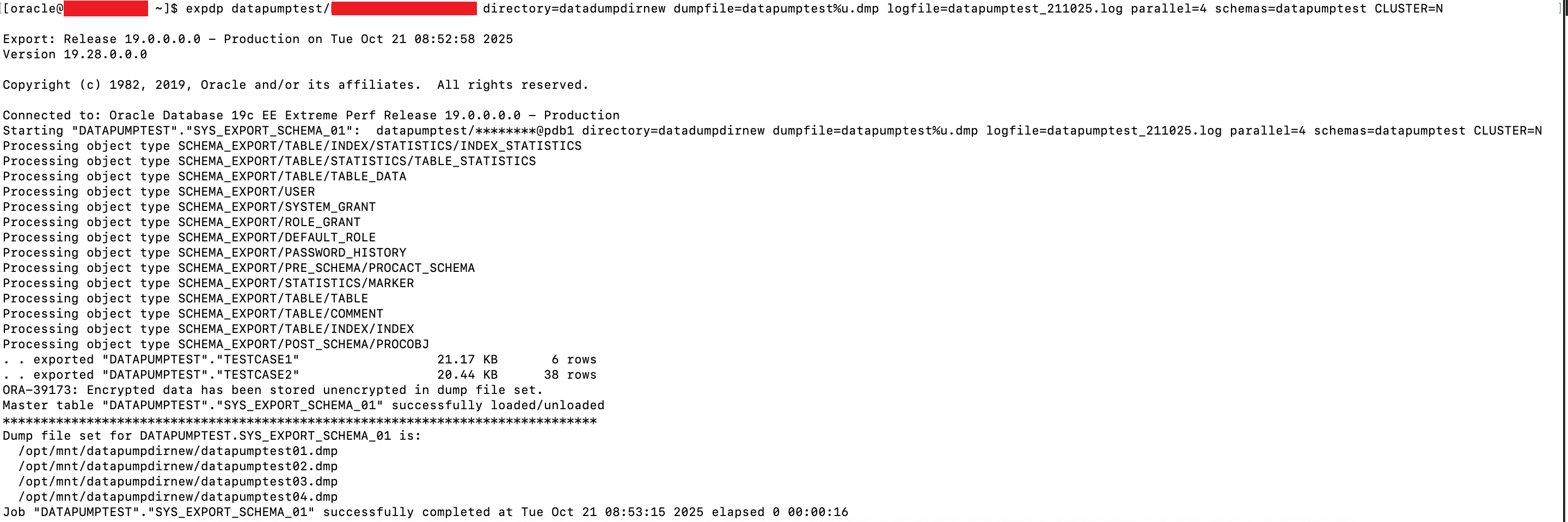
Incase you hit “ORA-48128: opening of a symbolic link is disallowed”, you may need to add “cluster=N” to force slaves to run on local node. Optionally you can repeat the steps in other nodes in DBCS VM cluster as well.
Step 8: Verify if we can see datapump dumpfiles in object storage bucket
Lets see in console if we can see newly created dumpfiles in folder ‘/opt/mnt/datapumpdirnew’.
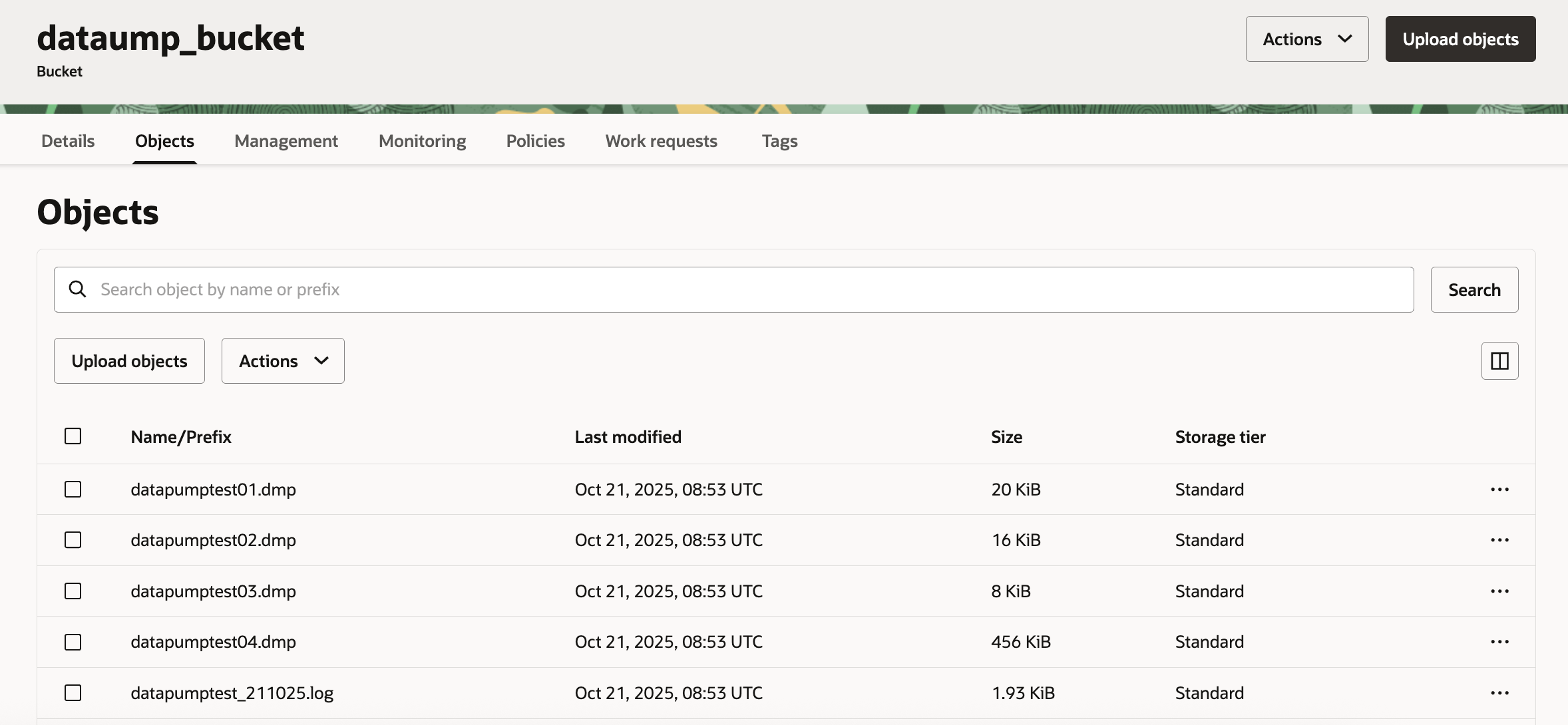
So we can see results are as expected 🙂
Hope you will find this post very useful!!
Stay tuned for next blog post covering methodology to take a datapump export directly on object storage via package “DBMS_CLOUD”. Kindly note this will only work on DB version 21c and above.
Let me know for any questions and any further information in comments or LinkedIn.
Reference doc: https://blogs.oracle.com/cloud-infrastructure/post/mounting-an-object-storage-bucket-as-file-system-on-oracle-linux


 Adityanath's Database & Cloud Blog
Leave a reply to Mou Pal Cancel reply