Dear All,
Good Afternoon!!!
Today, I am going to write about one of the important features available with OCI File Storage Service that helps ensure immutable, consistent, and recoverable filesystem copies for backup, disaster recovery, compliance, and operational protection.
OCI File Storage Service snapshots support two types of locking mechanisms — resource-based locks and time-based locks — both of which can be enabled either during snapshot creation or after the snapshot has been created.
Resource Locks:
OCI File Storage Service (FSS) supports two types of resource locks for snapshots:
- Delete Lock – Prevents deletion of the locked snapshot.
- Full Lock – Prevents modification, movement, and deletion of the locked snapshot.
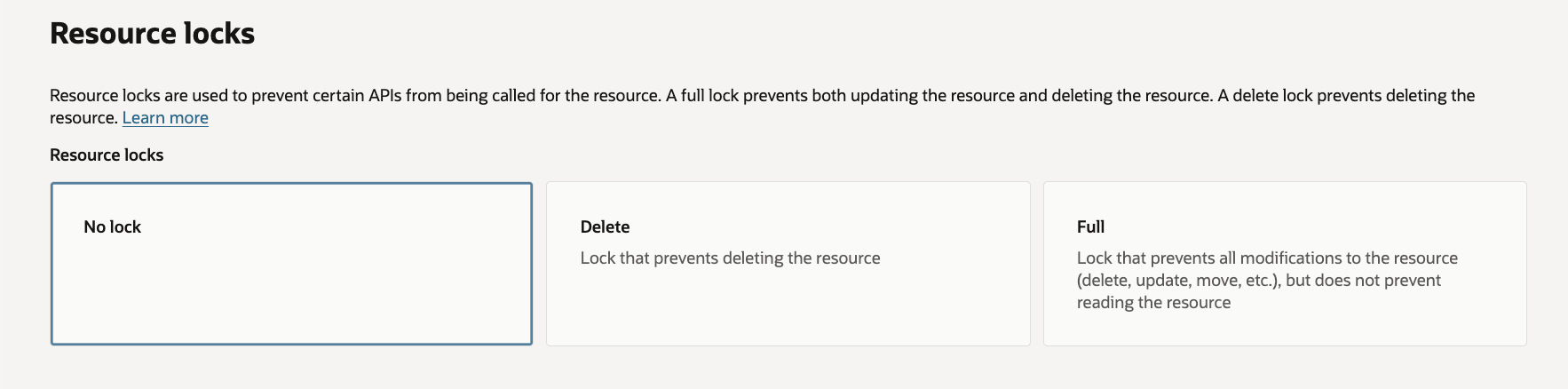
You can add or remove only one lock type at a time, although both lock types can coexist on the same resource. For example, a delete lock can be applied initially, followed by a full lock at a later stage.
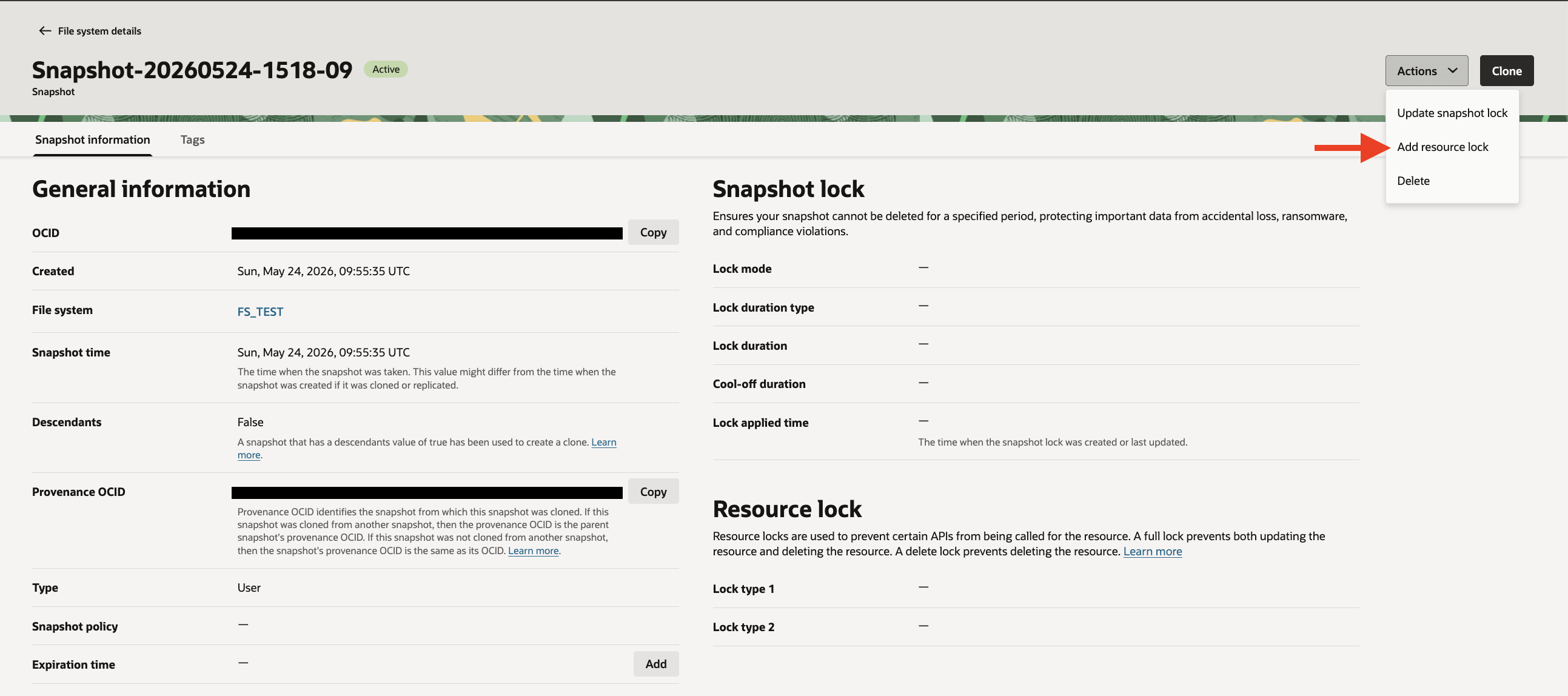
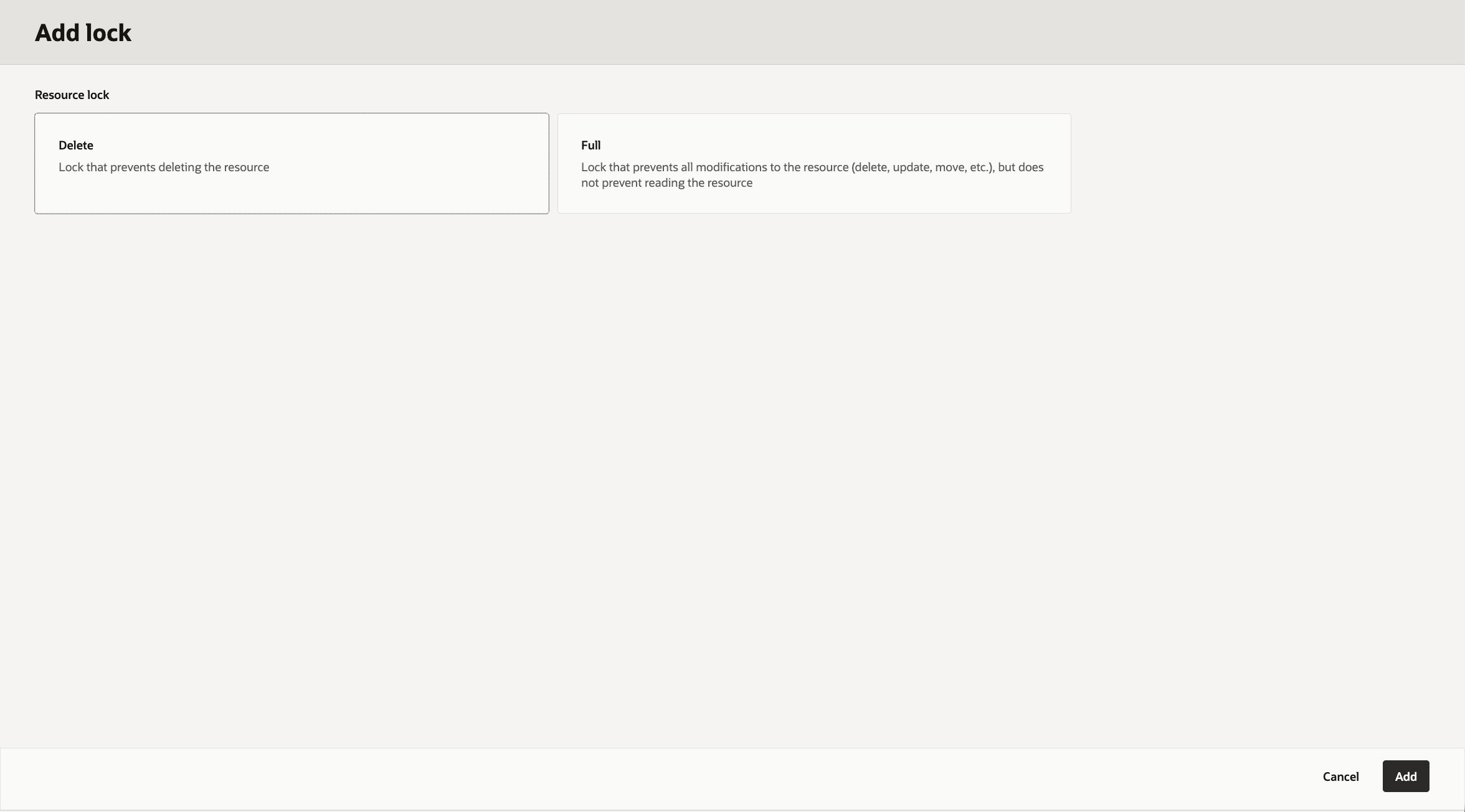
You need to have either of following permissions to complete this operation:
- Allow group to manage file-family in tenancy
- Allow group to RESOURCE_LOCK_ADD in tenancy
Difference between Delete Lock & Full Lock:
A Delete Lock protects the snapshot from accidental or intentional deletion while still allowing updates to certain snapshot properties, whereas a Full Lock provides enhanced protection by preventing both deletion and modification of the snapshot.
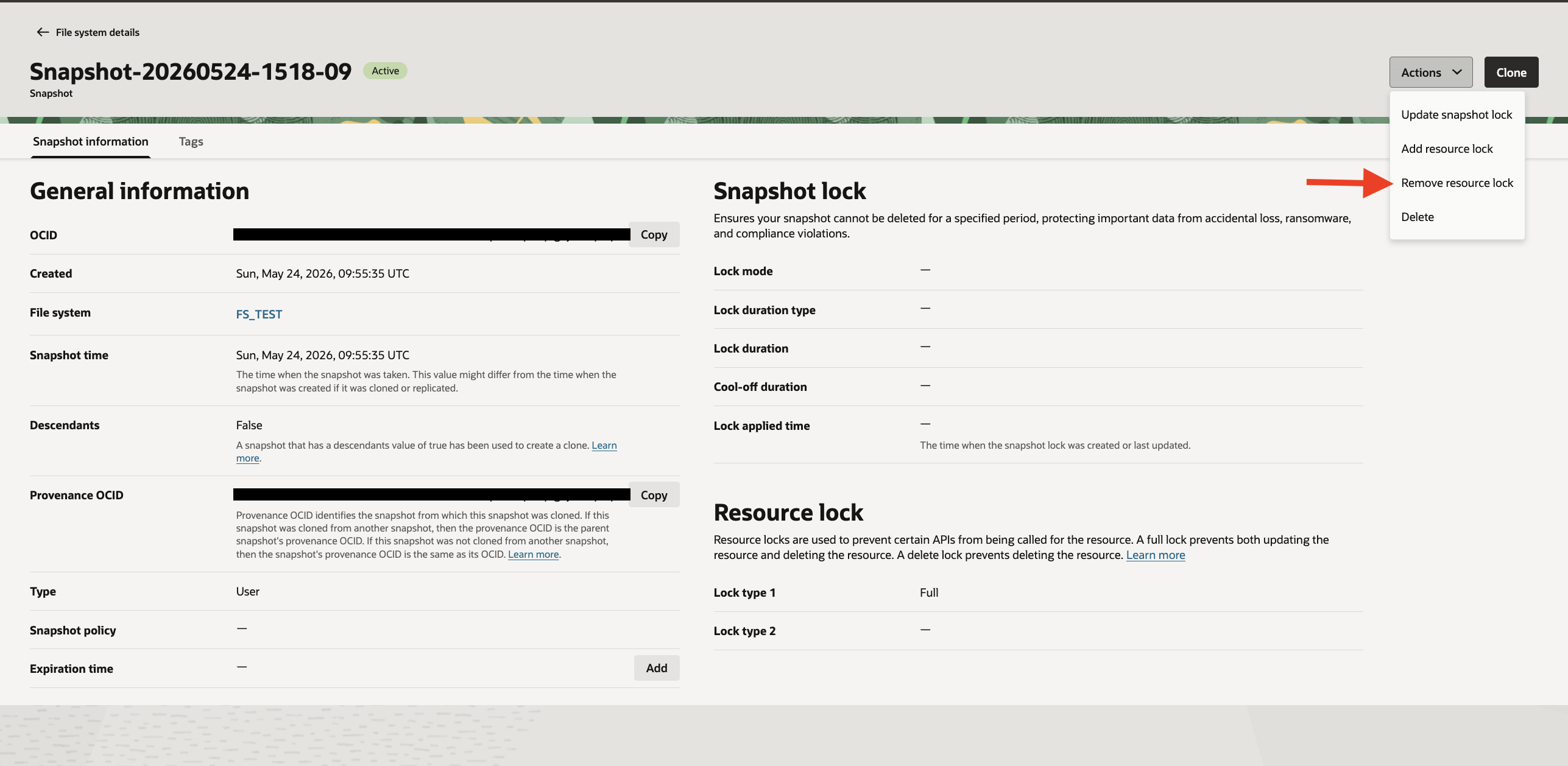
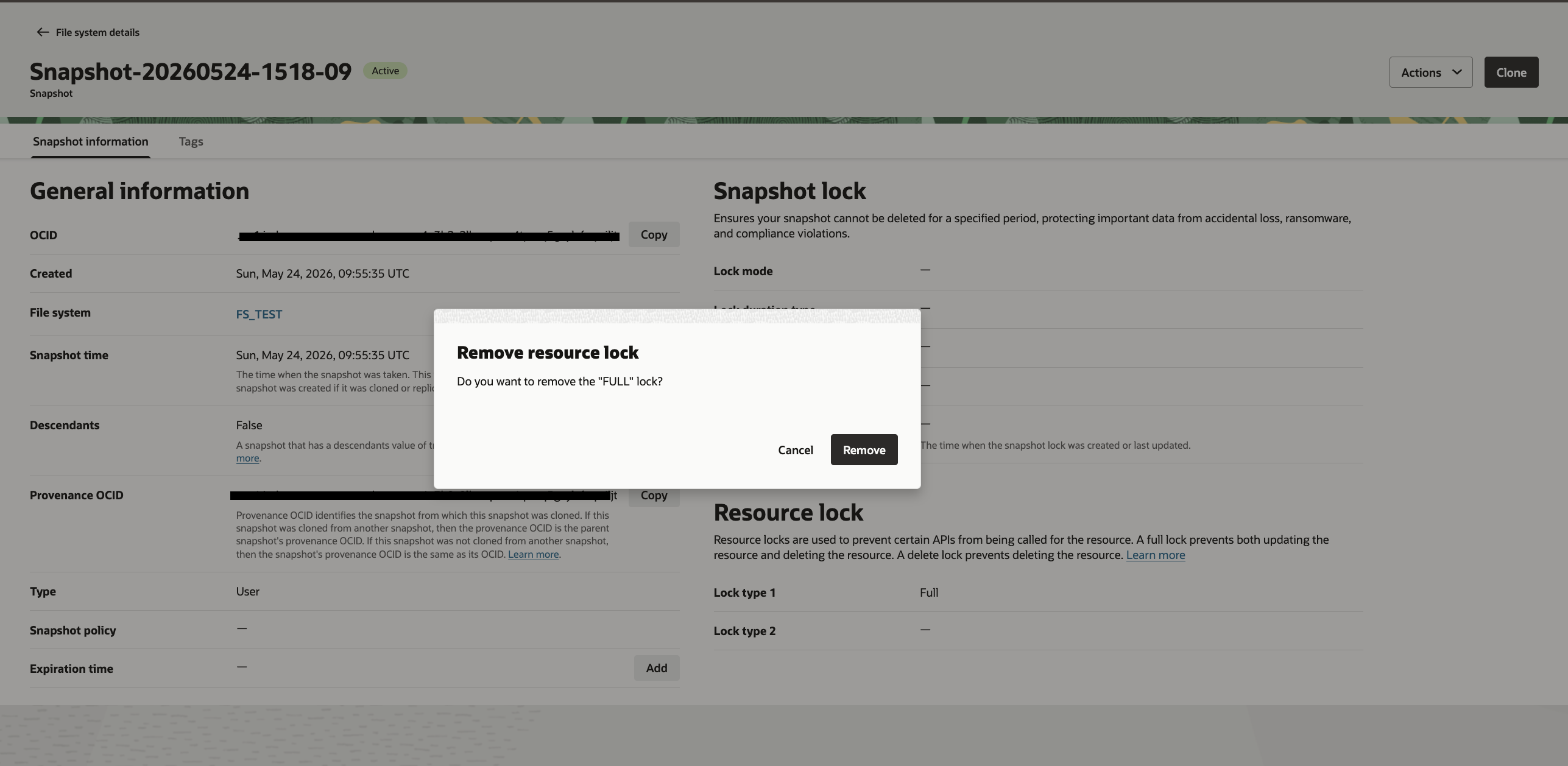
Unlocking resource locks:
You can unlock a File Storage snapshot to permit deletions in the case of a delete lock, or to allow updates, moves, and deletions in the case of a full lock.
Time-Based Locks:
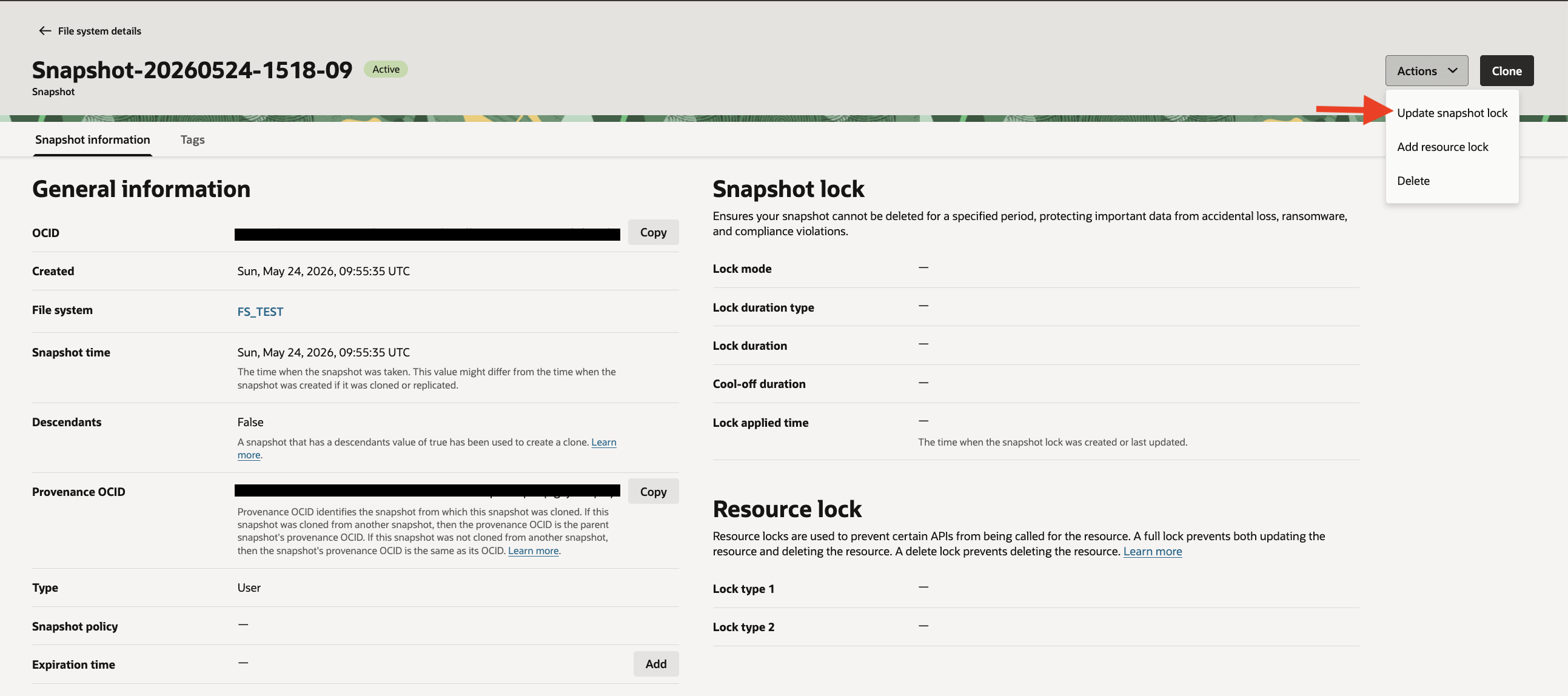
This feature was recently introduced by Oracle to enhance ransomware protection, support regulatory compliance requirements, and enforce data retention policies. It provides time-based protection by preventing a file system snapshot from being deleted for a specified retention period. The lock duration is configured in days, and the snapshot remains immutable until the retention period expires. While the lock is active, neither the snapshot nor the associated file system can be deleted.
OCI Filesystem service supports two types of Time-Based Locks:
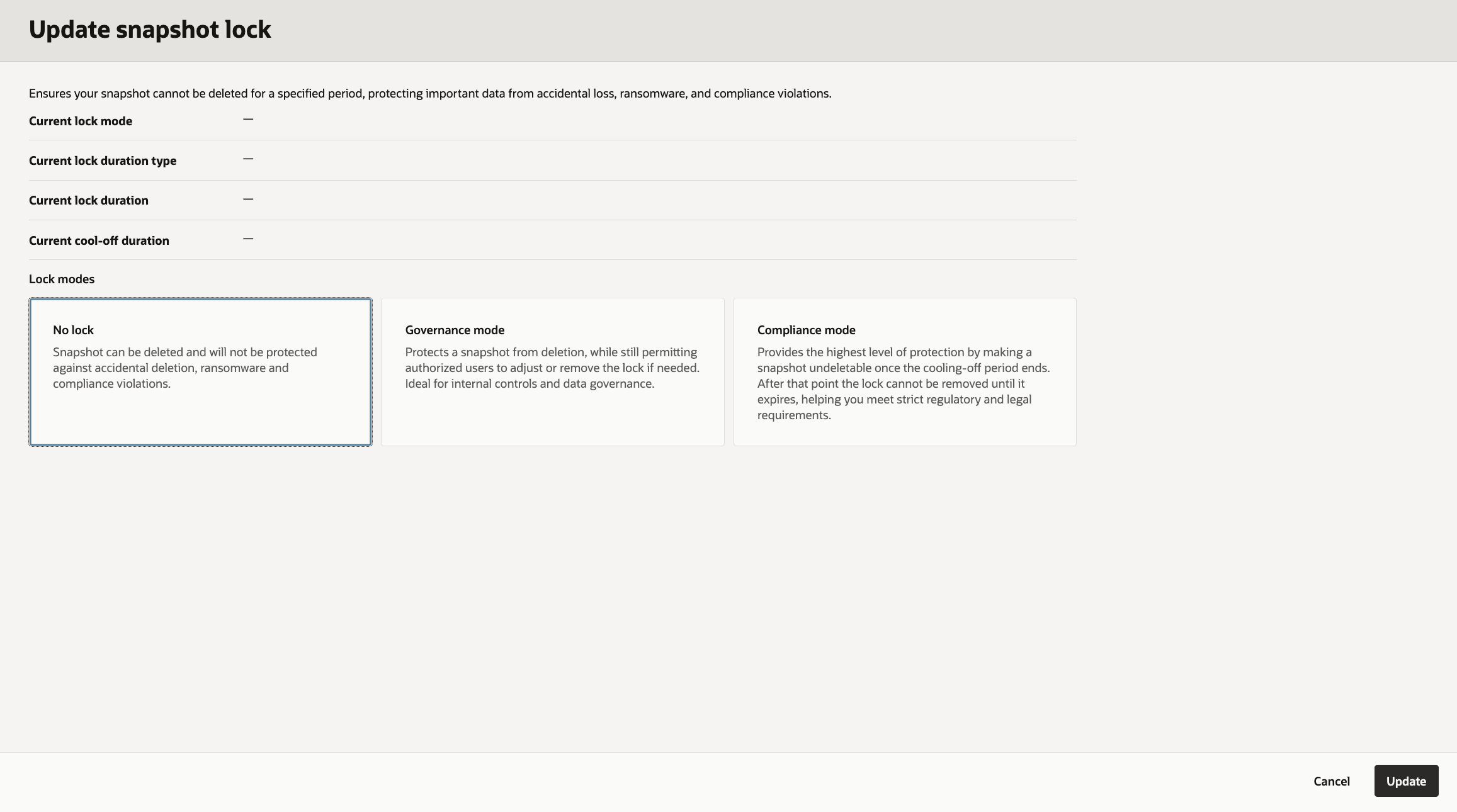
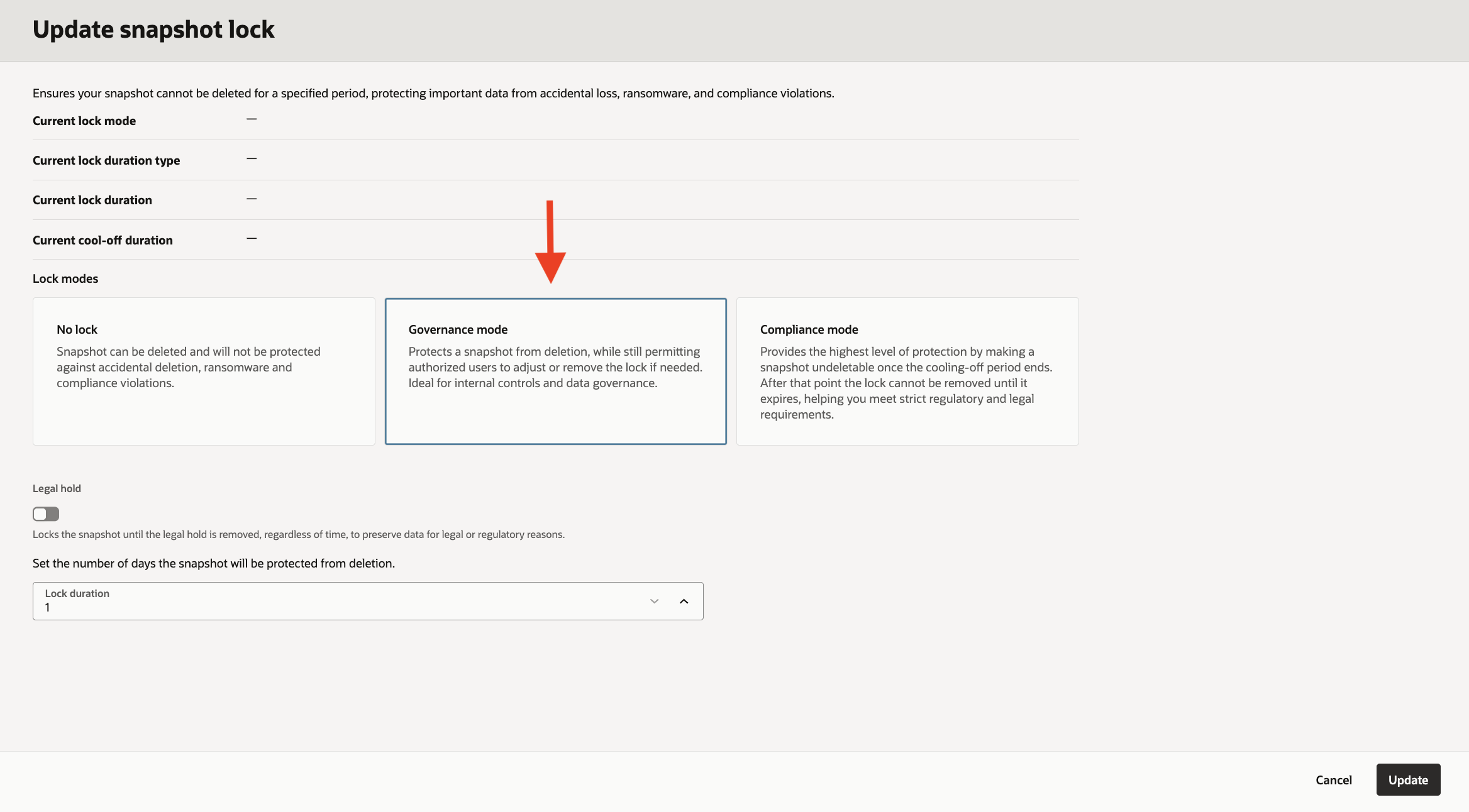
Governance Mode – Flexible Retention with Optional Legal Hold
OCI File Storage Service provides Governance Mode to offer flexible snapshot retention protection while still allowing controlled administrative operations when required.
When a governance lock is enabled, snapshot deletion is immediately blocked for the configured retention period. However administrators with the appropriate OCI IAM permissions can still:
Modify or extend the lock duration
Remove the governance lock if operationally required
Governance Mode also supports Legal Hold, which provides indefinite snapshot protection. Once a snapshot is placed under legal hold, it remains protected until the hold is explicitly removed, regardless of the configured retention duration.
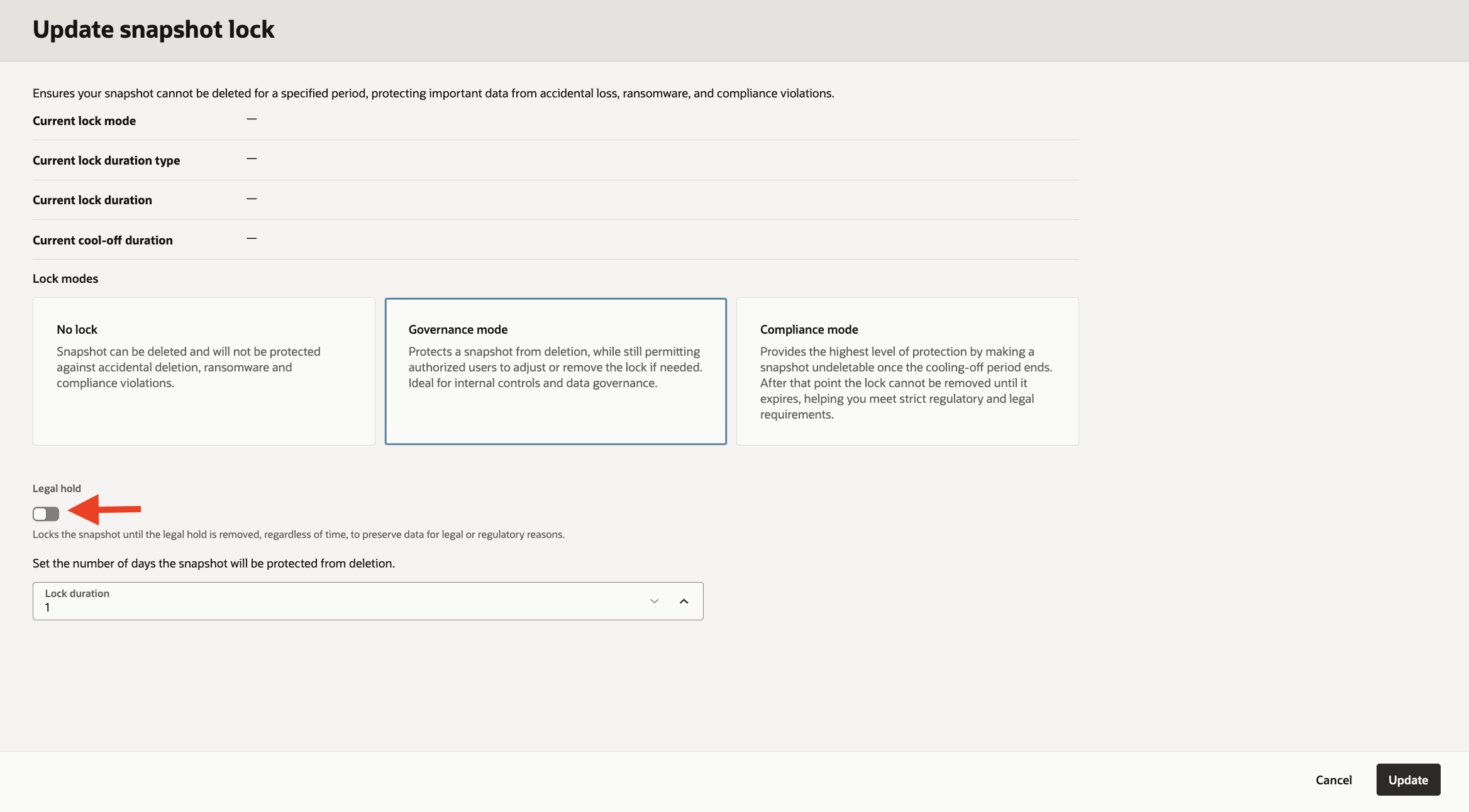
This mode is ideal for organizations that require strong ransomware protection and retention controls while maintaining operational flexibility for administrative and business needs.
To configure or manage Governance Mode locks, users must have one of the following OCI IAM permissions:
- Allow group to manage file-family in tenancy
- Allow group to FILE_SYSTEM_MANAGE_SNAPSHOT_LOCK_GOVERNANCE in tenancy
Compliance Mode – Strict Retention with Immutable Protection
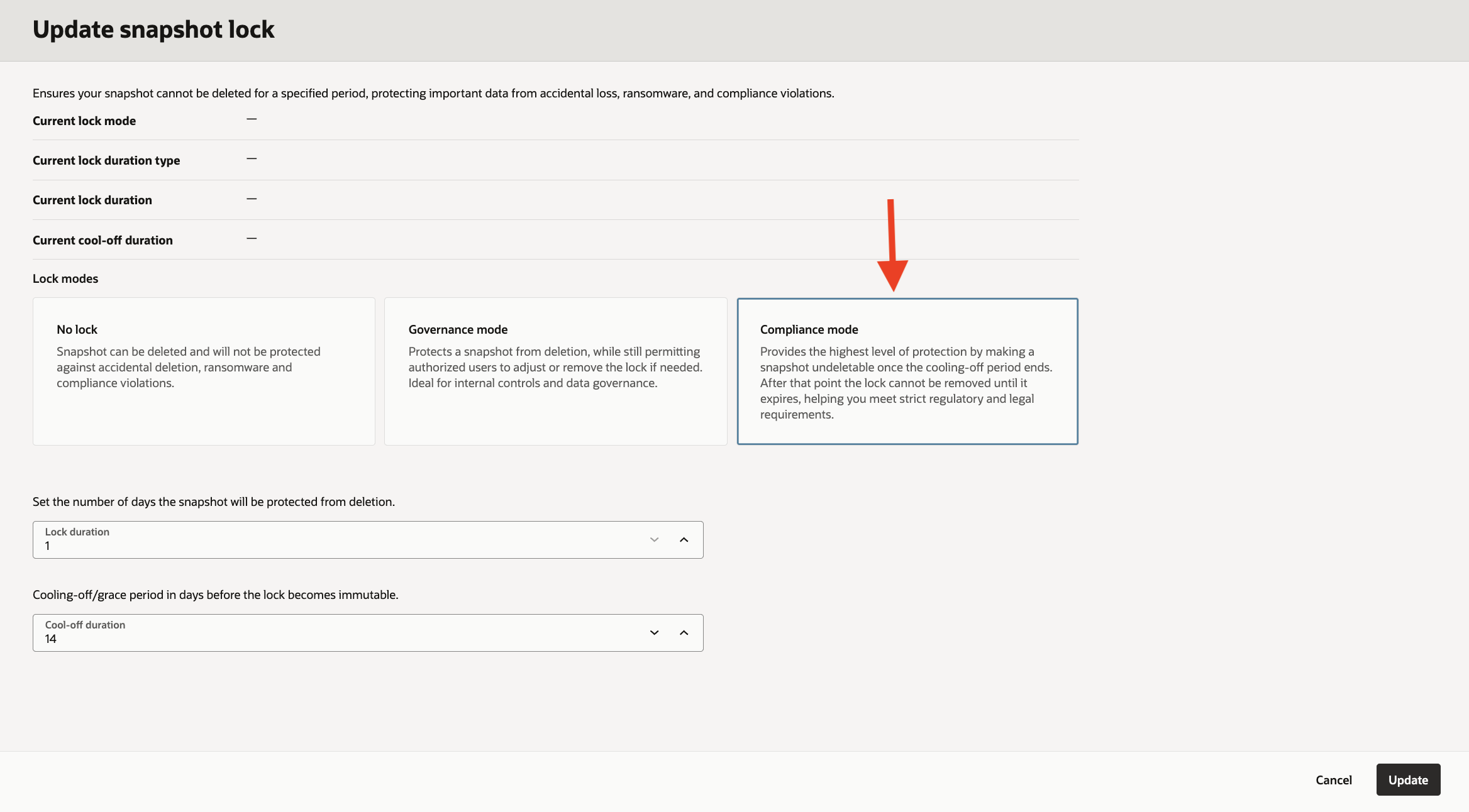
OCI File Storage Service provides Compliance Mode for organizations requiring strict, non-editable snapshot retention policies and immutable protection.A compliance lock is configured using two parameters:
- Lock Duration – Defines the retention period for the snapshot
- Cool-off Duration – A configurable window during which the lock can still be modified or removed by authorized administrators with the appropriate permissions. The default cool-off period is 14 days.
Once the cool-off period expires, the compliance lock becomes fully enforced and immutable. At this stage, the lock cannot be removed or shortened — it can only be extended. This ensures strong protection against accidental deletion, malicious changes, and ransomware attacks while supporting regulatory and compliance requirements.
Compliance Mode is best suited for environments that require long-term immutable retention and strict data protection controls.
To configure or manage Compliance Mode locks, users must have one of the following OCI IAM permissions:
- Allow group to manage file-family in tenancy
- Allow group to FILE_SYSTEM_MANAGE_SNAPSHOT_LOCK_COMPLIANCE in tenancy
When a retention period expires, the snapshot returns to regular (unlocked) mode.
Common Use Cases of OCI File Storage Snapshot Locks
Ransomware Protection
Prevents backup snapshots from being deleted or modified by malicious users or compromised accounts.
Regulatory Compliance
Helps meet compliance requirements such as SEC, HIPAA, PCI-DSS, GDPR, and financial data retention mandates.
Immutable Backups
Ensures snapshots remain unchanged for a defined retention period to support secure recovery.
Internal Data Governance
Protects critical enterprise data by enforcing immutable retention policies, preventing unauthorized deletion or modification of snapshots, and supporting audit, security, and compliance requirements across internal operations.
Legal hold
keep a snapshot protected indefinitely until legal or regulatory needs are resolved.
Hope you will find this post very useful!!
Let me know for any questions and any further information in comments or LinkedIn.


Leave a Reply